


The amount of time that users have to re-open a resolved ticket can be set within the Usergroup permissions. If you would like to change this, follow the steps below.
Go to Admin > CRM > Usergroups > Permissions.
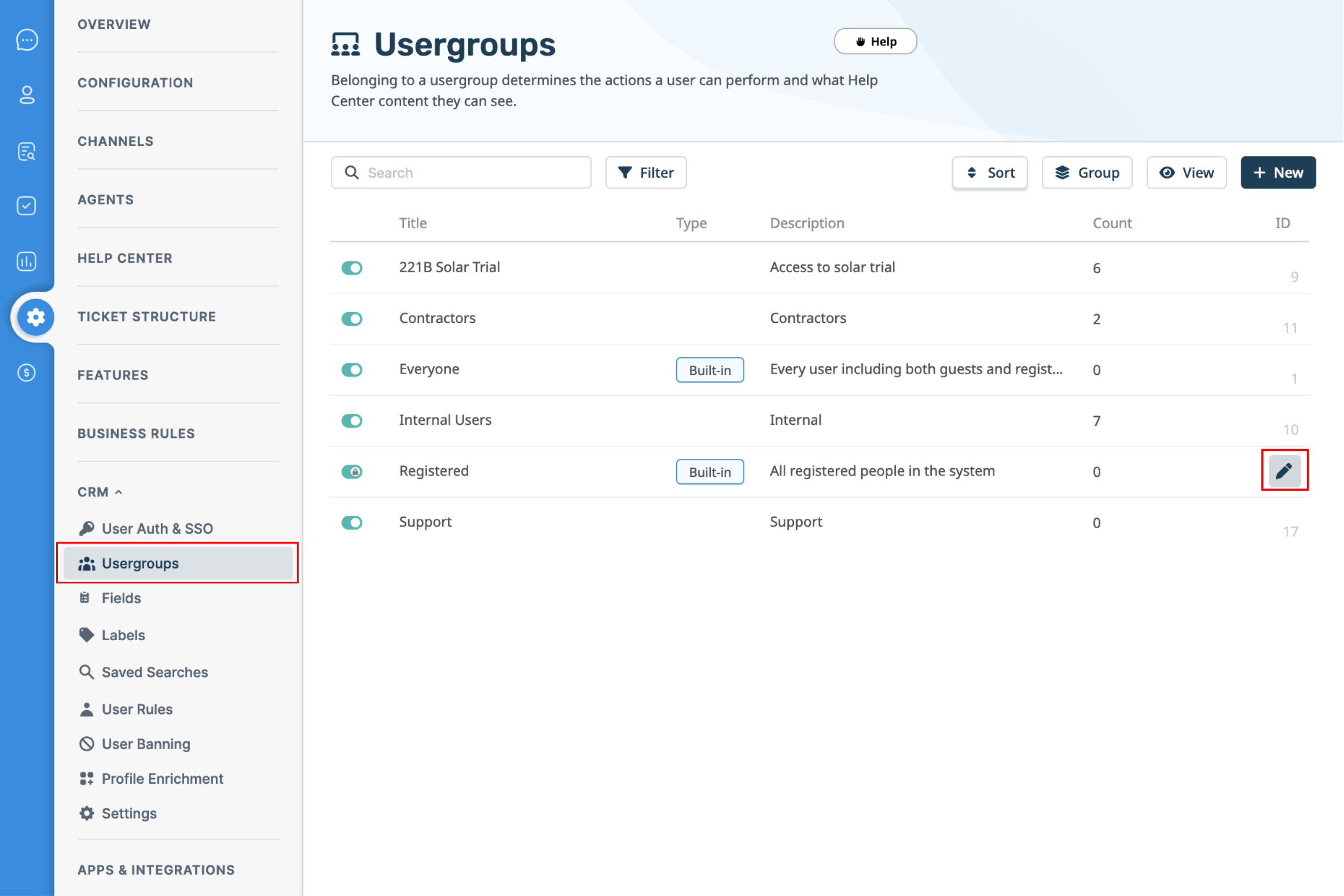
This will show a table of usergroups, the default group for users signed up on the Help Center is Registered. Click the edit icon next to the usergroup you would like to change the time limit for.
You can change the limit under the Permissions tab, choose from a variety of options all the way from One Day to Forever, and apply different limits to each Usergroup.
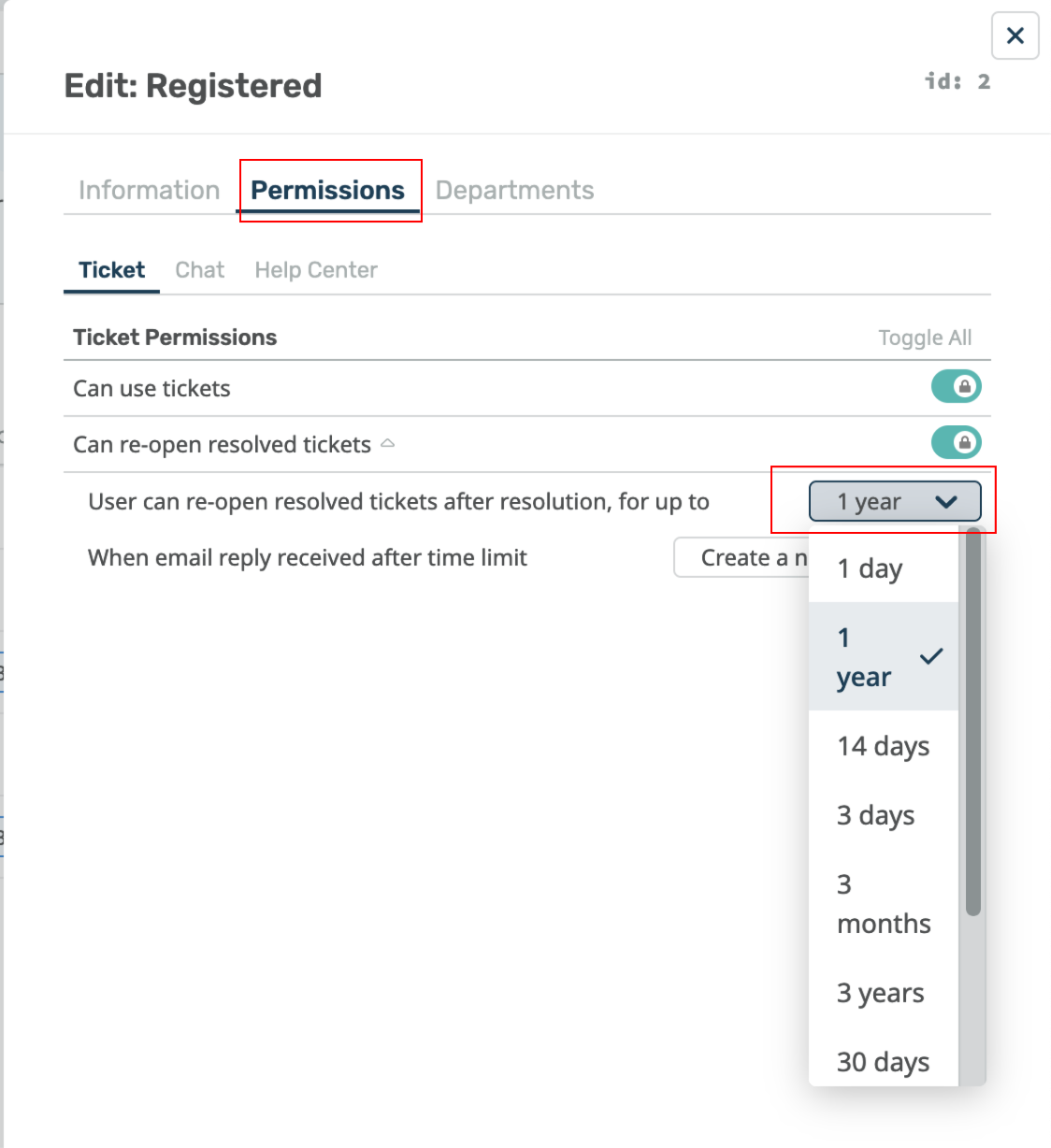
Once this limit has been set, it will come into effect and either allow the Users to re-open the ticket (if it is within the time frame) or remove the ability to re-open the ticket (if too much time has passed).
How this affects messaging channels and chatflows
The same time limit controls what happens when a User messages you again on WhatsApp or a custom channel after their previous ticket was resolved.
Inside the time limit, the new message re-opens the resolved ticket and continues the existing conversation. No chatflow runs, because the User is carrying on a conversation you have already had.
Outside the time limit, or if the Usergroup cannot re-open resolved tickets at all, the message starts a new conversation. Your chatflow runs from the beginning and a new ticket is created. The old ticket stays resolved.
The time limit defaults to Forever. On that setting a returning User will always land back on their old resolved ticket and will not go through your chatflow again. If you want returning Users to see the chatflow, set a time limit here or remove the re-open permission from the Usergroup.
Deleted tickets, and tickets marked as spam, are never re-opened by a new message, whatever the time limit says. A User who messages in after their ticket was deleted always starts a new conversation and goes through the chatflow again.
This will also prevent users from emailing in to re-open the ticket, and they will be sent a rejection email to inform them that the ticket has been rejected if this email was sent outside of the set time limit.