


Question:
I'm attempting to get information using the V2 API, but I receive the following return code:
"status": 403,
"code": "You are not allowed to access this point with this auth mode",
"message": "You are not allowed to access this point with this auth mode",
"errors": null
How can I resolve this?
Answer:
Ensure the authorization headers are formatted correctly in the request you are sending, per our V2 API documentation. (This has changed since the legacy API).
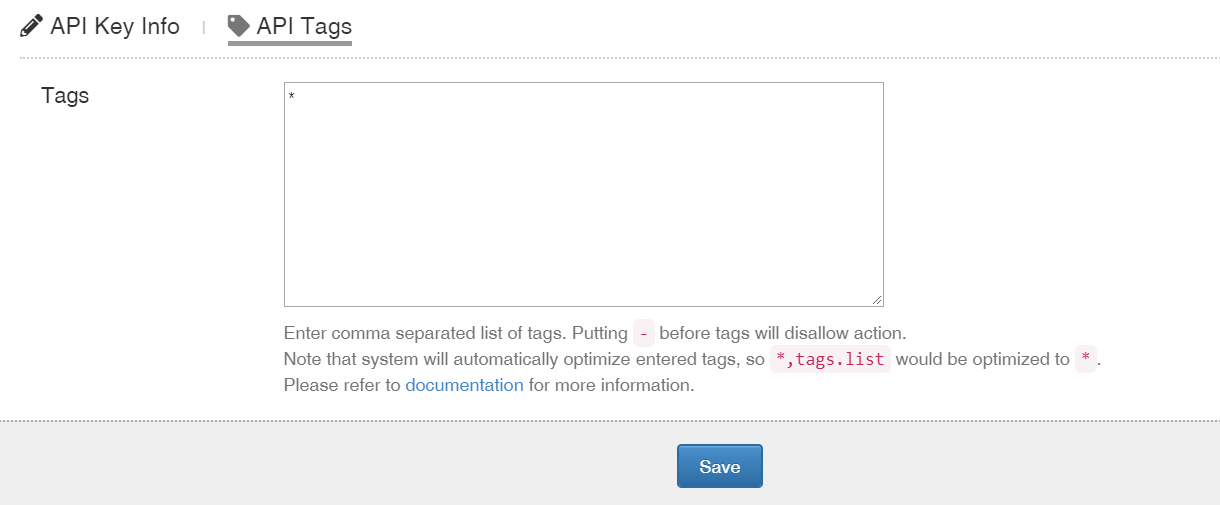
Check the API Tags.
Go to Admin > Apps > API Keys and select the API key you are using.
Check the 'API Tags' area - this should ideally be an asterix * to allow all calls to the API.
If the box is empty, add the * and save the change.
You may be running the API call as an agent who doesn't have permission to use the function. Remember, each API call runs in the context of a particular agent. Make sure you're using an API key for a user who has permission, or if you're using a superuser API key, that you specify an agent who has permission.
You may be trying to use an admin function, but you're not using a superuser API key with administration endpoints enabled.
If you're receiving this error when trying to delete a ticket through the API, check whether the API key has delete actions restricted.
Go to Admin > Apps & Integrations > API Keys and select the API key you're using.
Check the Disallowed Actions section.
If delete is listed and the API key should allow ticket deletion, remove it from the disallowed actions and save your changes.
Retry the API request.
Please note that removing this restriction may also allow other delete operations using the same API key. Make sure you review the permissions and intended use of the key before making this change.